$cripter2.3
Publisher Description
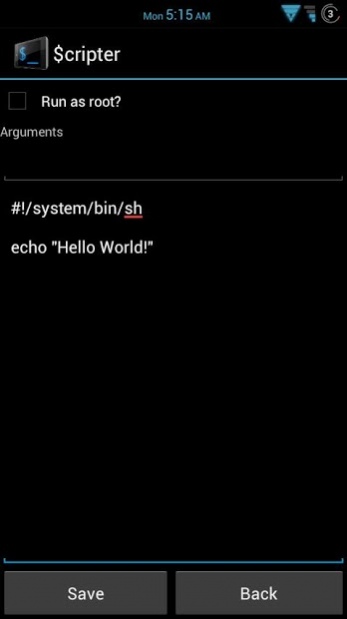
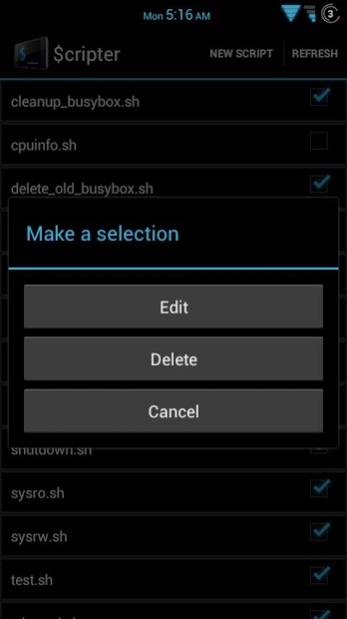
This app depends on busybox. Please make sure you install it as well. Simply search for Busybox Installer.
This app allows you to write and run shell scripts. It has run as root capabilities if your android device is rooted. Easily import scripts from multiple directories and create new scripts in specified directories.
If you like this app please rate it.
Please feel free to contact me if you find any bugs or would like to request features. I don't have a lot of free time but I will do what I can. This application is open source and the source is available at
https://gitlab.com/mjwhitta/scripter
Change Log
2.3
-Couple bug fixes and can now choose to hide output when editing a script
2.2
-Another bug fix with script names
2.1
-Couple of bug fixes as well as setting PATH=/system/bin:/system/bin:/data/local/bin before running script
2.0
-Code clean-up
1.9
-ActionBarSherlock-4.2.0
1.8
-Small code optimizations
1.7
-Added desktop shortcuts
1.6
-Removed hardcoded theme and other small optimizations
1.5
-Made error output prettier
1.4
-Fixed null pointer exception
1.3
-Output is now in a ScrollView so you can see it all
1.2
-New icon thanks to redditor KyleMistry!!!
1.1
-Bug fixes
1.0
-Initial release!
Keywords:
sh, bash, scripting, scripter, gscript, script kitty
About $cripter
The company that develops $cripter is mjwhitta. The latest version released by its developer is 2.3. This app was rated by 1 users of our site and has an average rating of 5.0.
To install $cripter on your Android device, just click the green Continue To App button above to start the installation process. The app is listed on our website since 2013-10-10 and was downloaded 66 times. We have already checked if the download link is safe, however for your own protection we recommend that you scan the downloaded app with your antivirus. Your antivirus may detect the $cripter as malware as malware if the download link to sites.mjwhitta.scripter is broken.
How to install $cripter on your Android device:
- Click on the Continue To App button on our website. This will redirect you to Google Play.
- Once the $cripter is shown in the Google Play listing of your Android device, you can start its download and installation. Tap on the Install button located below the search bar and to the right of the app icon.
- A pop-up window with the permissions required by $cripter will be shown. Click on Accept to continue the process.
- $cripter will be downloaded onto your device, displaying a progress. Once the download completes, the installation will start and you'll get a notification after the installation is finished.
Program Details
System requirements
Download information
Pricing
Version History
version 2.3
posted on 2013-10-10
Couple bug fixes and can now choose to hide output when editing a script.
Sorry I've been away. Baby girl born 8 months ago. Two kids under two is hard.
version 2.2
posted on 2013-04-06
Several fixes and updates
